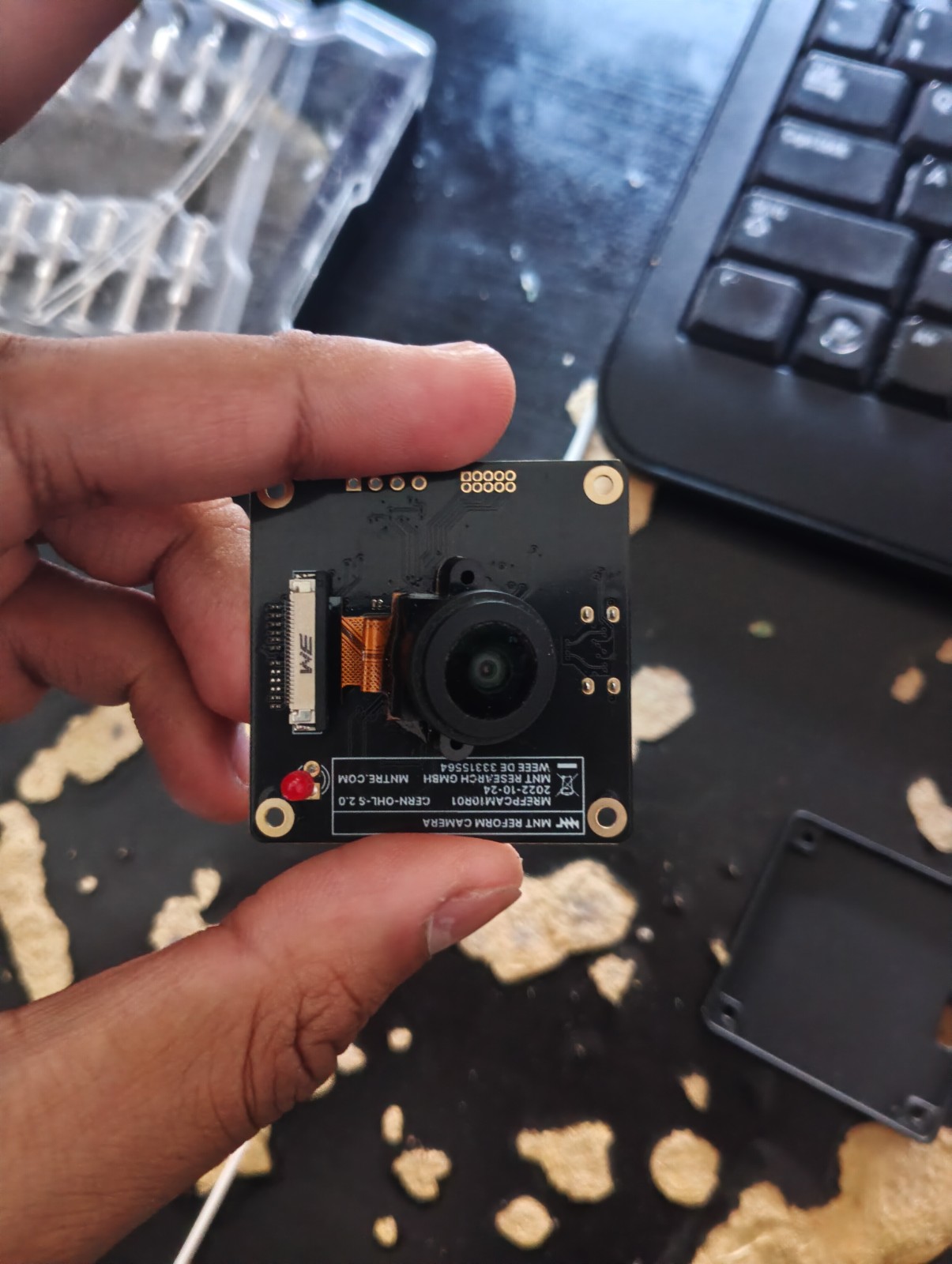
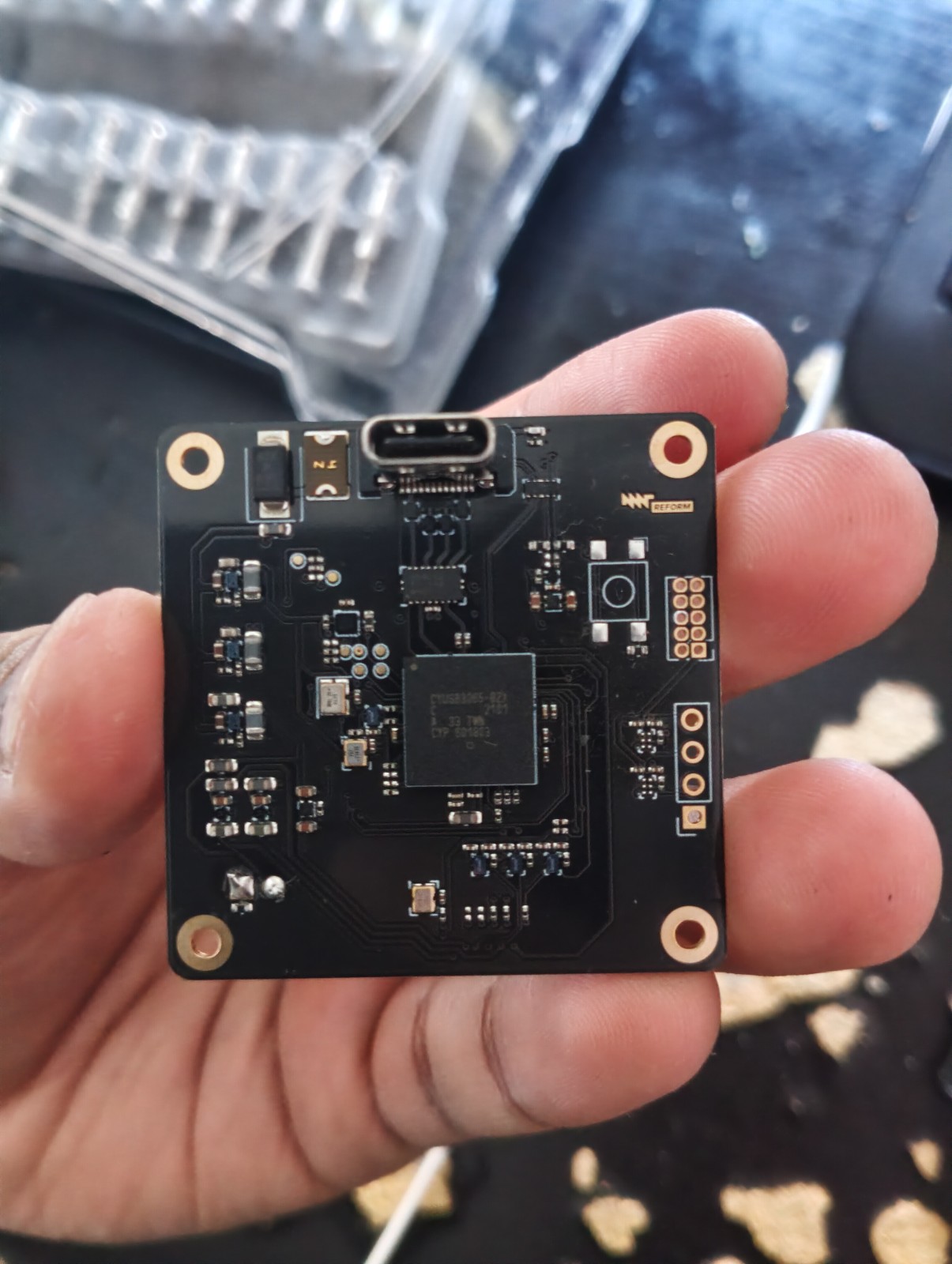
I ordered the MNT camera a long while ago, and wanted to set it up in OBS. It has this weird thing where the default behavior of the camera has this super wide fisheye, which is bad for interviews because that means that I have to clean my desk as well as the visible part of the room. This is solvable by choosing other resolutions, which you can do in OBS. The thing is though, I notice that it is very grainy, and normally you can tune this with the camera controls in OBS -- but they're blank. I asked claude what the issue was, and it said that it was because the firmware of the camera don't have the UVC stuff enabled, and that we'd have to compile custom firmware. Obviously, that's not the case. running v4l2-compliance on the serial port that it was connected with shows that it's fully compliant, and knowing mnt reform I'd be suprised that it wasn't.
Ok, poking around more with the different uvc testing things like quvc shows that actually, it is fully compliant, but that doesn't that doesn't mean that it has the camera controls exposed. Compliance doesn't include having camera controls, something we can verify by running v4l2-ctl -l -d 0. -d 0 maps to my internal laptop camera monitor, which we can see having a bunch of controls exposed.
Running the same command for my mnt camera (which is bound to /dev/video2, so -d 2`) prints exactly nothing. It is detecting it though, verified by opening it in OBS and, more clearly, by running v4l-compliance on it
If we run a diff between this and the webcam's compliance, we see clearly that the CX3-UVC (the mnt camera) doesn't have camera controls, the one faliure that it has.
3c3
< Compliance test for uvcvideo device /dev/video0:
---
> Compliance test for uvcvideo device /dev/video2:
7,8c7,8
<       Card type        : HP HD Camera: HP HD Camera
<       Bus info         : usb-0000:03:00.4-4
---
>       Card type        : CX3-UVC
>       Bus info         : usb-0000:03:00.4-2
22,24c22,24
<       Model            : HP HD Camera: HP HD Camera
<       Serial           : 0001
<       Bus info         : usb-0000:03:00.4-4
---
>       Model            : CX3-UVC
>       Serial           :
>       Bus info         : usb-0000:03:00.4-2
26c26
<       Hardware revision: 0x00000002 (2)
---
>       Hardware revision: 0x00000000 (0)
33c33
<       Name             : HP HD Camera: HP HD Camera
---
>       Name             : CX3-UVC
37c37
<         Link 0x02000013: from remote pad 0x100000a of entity 'Extension 7' (Video Pixel Formatter): Data, Enabled, Immutable
---
>         Link 0x02000010: from remote pad 0x100000a of entity 'Extension 3' (Video Pixel Formatter): Data, Enabled, Immutable
45c45
<       test second /dev/video0 open: OK
---
>       test second /dev/video2 open: OK
78,79c78
<               fail: v4l2-test-controls.cpp(325): expected 1 private controls, got 0
<       test VIDIOC_QUERY_EXT_CTRL/QUERYMENU: FAIL
---
>       test VIDIOC_QUERY_EXT_CTRL/QUERYMENU: OK
83c82
<       test VIDIOC_(UN)SUBSCRIBE_EVENT/DQEVENT: OK
---
>       test VIDIOC_(UN)SUBSCRIBE_EVENT/DQEVENT: OK (Not Supported)
85,86c84
<       Standard Controls: 16 Private Controls: 1
<       Standard Compound Controls: 0 Private Compound Controls: 1
---
>       Standard Controls: 0 Private Controls: 0
113c111
< Total for uvcvideo device /dev/video0: 49, Succeeded: 48, Failed: 1, Warnings: 0
---
> Total for uvcvideo device /dev/video2: 49, Succeeded: 49, Failed: 0, Warnings: 0
Ok, that means that we just need to compile some firmware controls onto it. Looking at the mnt reform docs, it's clear that they don't actually vendor any firmware themselves, at least not in their git repo for the project, but rely on the upstream camera sensors' firmware from infineon. It's not open source, which is annoying, and more annoying is that I'm on NixOS and tinkering with this is going to be a headache. seems like the perfect application for AI!
I set claude to creating a flake for the firmware so I can tinker around with it. My thinking is that it should be a simple bit flip, hopefully, that the upstream guys already have camera controls in there somewhere and the firmware that shipped with the camera just didn't have it enabled for some reason.
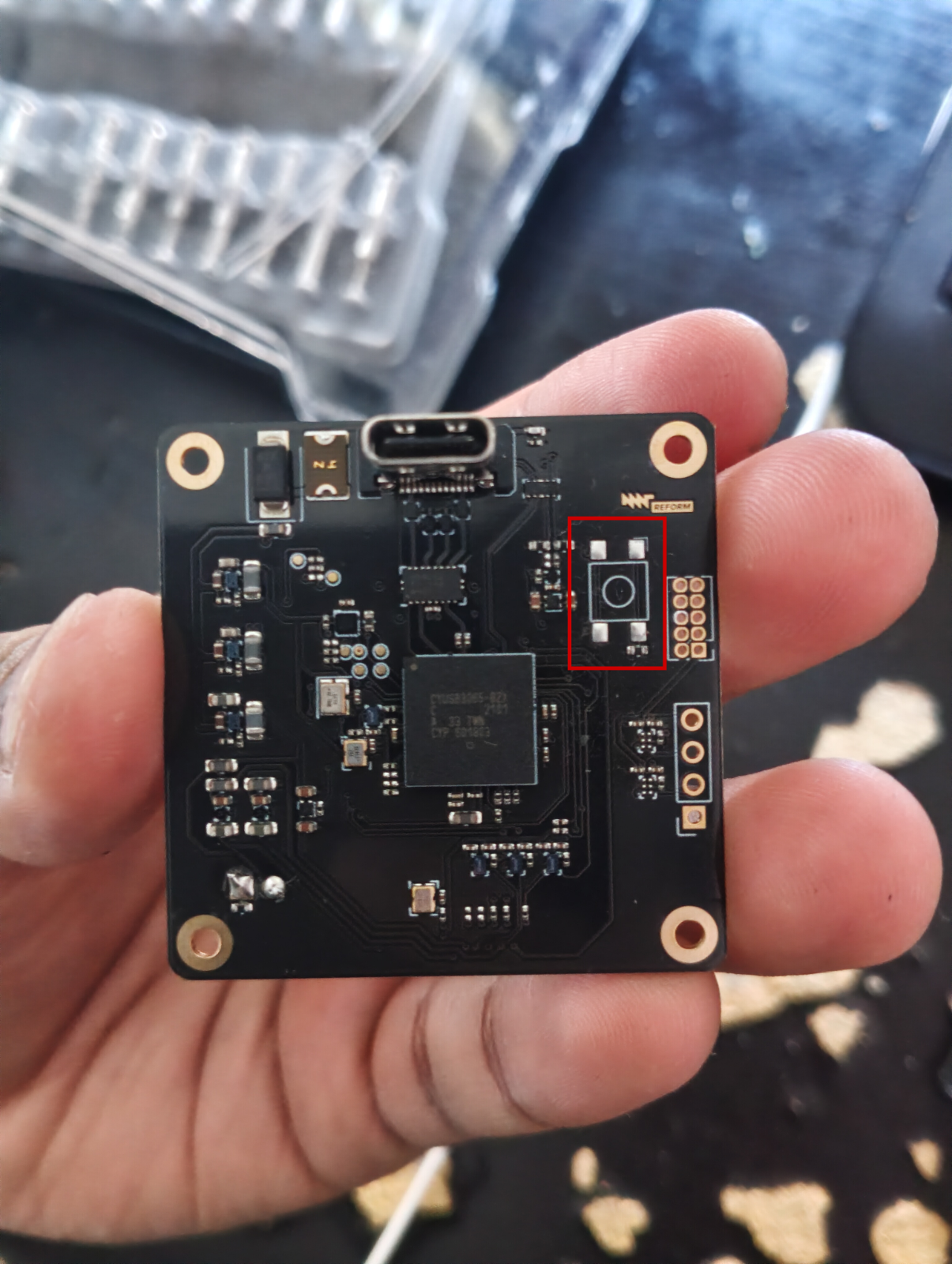
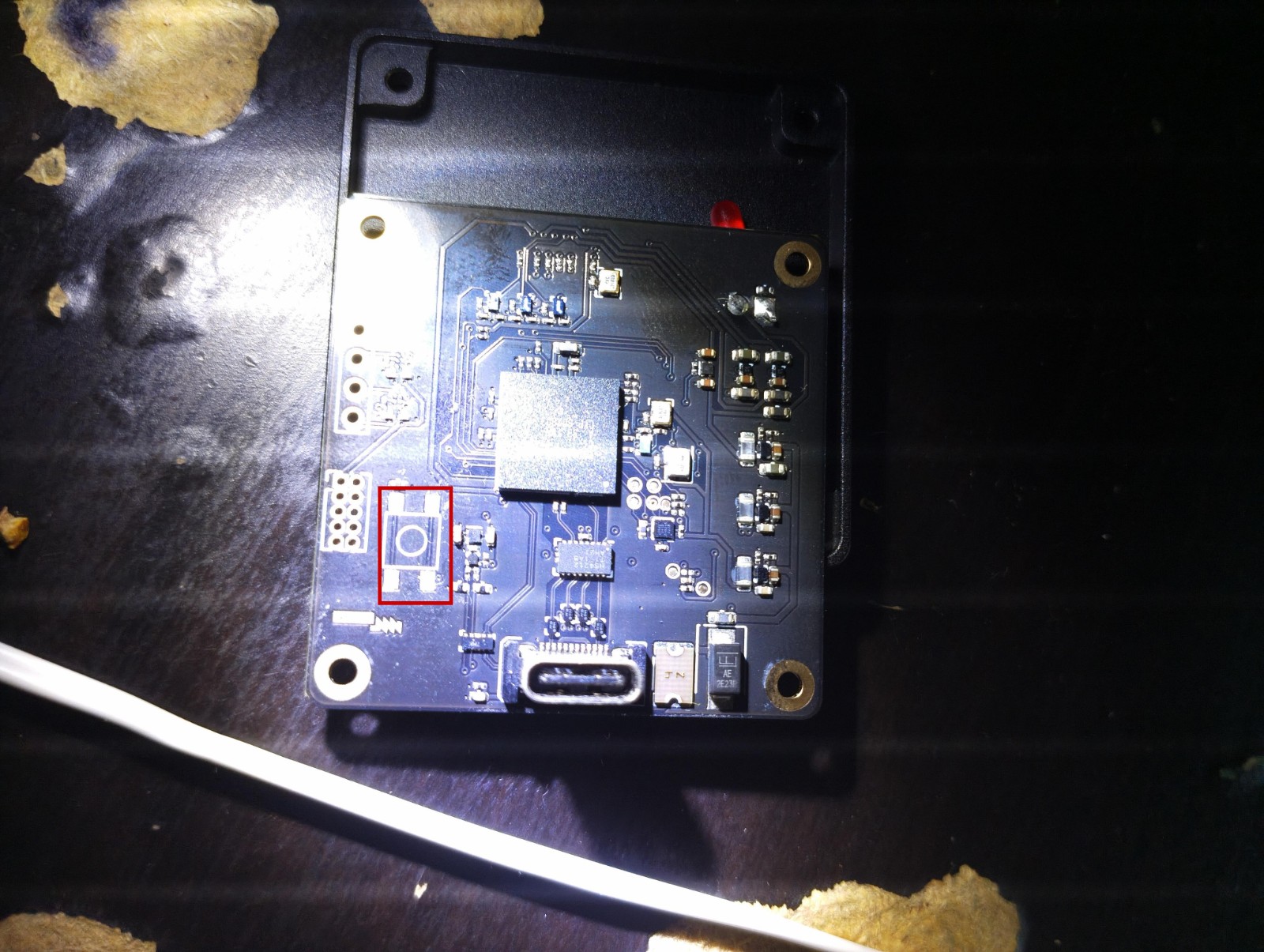
Ok. Claude just finished packaging the flake, and i also told it to write some of the patches itself so that I could have some boilerplate to edit later. I wanted to just flash it just to see if it magically one-shot the problem, but here I run into a problem. I finally opened up my camera, and wanted to get it into bootloader mode so that I could flash it. The manual says to bridge SW1 to get it into bootloader mode, but when I opened it up, the silkscreen is surprisingly bare -- nothing labeled SW1 on either side. Given that I don't see a shadow gap on the aluminum case, I think that this is one of their first projects, since a lot of it does seem not to be as well documented as their other products like the MNT reform or the other laptops they've made.
No problem, I'll just open it up in kicad.
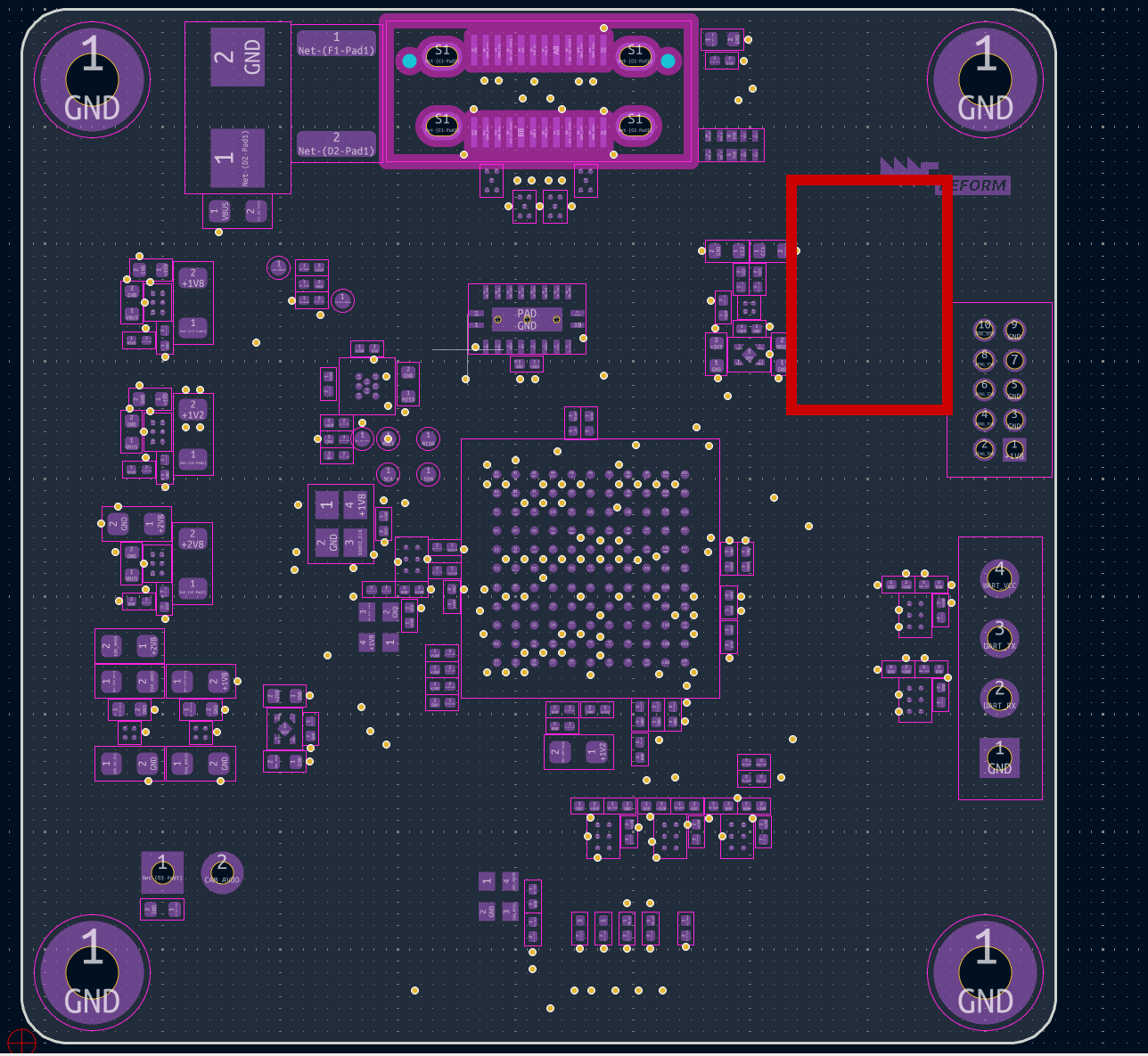
Here's something interesting -- the kicad project from the main folder doesn't actually have SW1. I Ctrl-f'd SW1, no results. I reread the documenation, and noti ced that it said that it said that SW1 was unpopulated -- the only unpopulated thing I saw was here on the back of the boad. However, if I look at the back of the board in kicad, there is no actual SW1!
Strange! I'll have to make a forum post here about the discrepancy. Well, given that I'm pretty sure that that's what the documentation was referring to, I'm pretty sure that I can just bridge those buttons to get into bootloader mode. Actually, I do have some spare buttons lying around. I think there's enough clearance to solder one on here...
...actually all of my switches are throughole, nevermind. It probably would have just been more of a risk of damaging the board. I just juped the two pins that had the vias next to it since that's probably what it's looking for, and running dmesg -w while having it plugged in shows... nothing!
May26 17:31] [<    4.163040>] usb 4-2: new SuperSpeed USB device number 6 using xhci_hcd
[  +0.012026] [<    0.012026>] usb 4-2: LPM exit latency is zeroed, disabling LPM.
[  +0.001091] [<    0.001091>] usb 4-2: New USB device found, idVendor=04b4, idProduct=00c3, bcdDevice= 0.00
[  +0.000045] [<    0.000045>] usb 4-2: New USB device strings: Mfr=1, Product=2, SerialNumber=0
[  +0.000028] [<    0.000028>] usb 4-2: Product: CX3-UVC
[  +0.000023] [<    0.000023>] usb 4-2: Manufacturer: Cypress
[  +0.004490] [<    0.004490>] uvcvideo 4-2:1.0: Found UVC 1.10 device CX3-UVC (04b4:00c3)
[May26 17:34] [<  178.517372>] usb 4-2: USB disconnect, device number 6
This is just the output when i plug it in -- nothing changes when I bridge the pads. You can tell because UVC video is still picking it up as a video device -- something that wouldn't happen if it was truly in bootloader mode.
Claude tells me to bridge the pads WHILE i plug it in -- lets try that. Well, I'm scared of this camera module ripping off when I bridge it, so lets unplug that first and hope it doesnt break.
Hmm, that didn't work -- maybe I'm bridging something wrong? I know that switches only need two pins, but there are 4 pads here -- usually those are for mechanical support. I tried every permutation of bridging the pads, even though there are two clear traces that run vertically that already tie each set of pads to each other.
Maybe that this isn't the switch that I'm looking for? Let me dig around in the schematics, but that turned up nothing.
Ah! After a long time looking at it and trying deperately to see the missing piece -- it was my tweezers! It didn't short it hard enough. Switched to my leatherman flathead screwdriver and everything after that was hunkydory. We can see in the dmesg output the first time I plug it in where it picks it up as a UVC, but then at 17:54 I bridge the pads and it now says that It's a WestBridge, showing that it is indeed in bootloader mode. Also, when in bootloader mode, the LED is actually off, something that I don't see documented anywhere. I'm sure you could deduce that by looking that the schematic a little harder, but I didn't bother.
[  +0.053977] [<    0.053977>] uvcvideo 3-2:1.0: Found UVC 1.10 device CX3-UVC (04b4:00c3)
[  +0.317348] [<    0.317348>] usb 3-2: USB disconnect, device number 58
[ +10.008601] [<   10.008601>] usb 3-2: new high-speed USB device number 59 using xhci_hcd
[  +0.126006] [<    0.126006>] usb 3-2: New USB device found, idVendor=04b4, idProduct=00c3, bcdDevice= 0.00
[  +0.000019] [<    0.000019>] usb 3-2: New USB device strings: Mfr=1, Product=2, SerialNumber=0
[  +0.000009] [<    0.000009>] usb 3-2: Product: CX3-UVC
[  +0.000007] [<    0.000007>] usb 3-2: Manufacturer: Cypress
[  +0.044009] [<    0.044009>] uvcvideo 3-2:1.0: Found UVC 1.10 device CX3-UVC (04b4:00c3)
[May26 17:54] [<   75.580825>] usb 3-2: USB disconnect, device number 59
[May26 17:55] [<   60.072312>] usb 3-2: new high-speed USB device number 60 using xhci_hcd
[  +0.125500] [<    0.125500>] usb 3-2: New USB device found, idVendor=04b4, idProduct=00f3, bcdDevice= 1.00
[  +0.000008] [<    0.000008>] usb 3-2: New USB device strings: Mfr=1, Product=2, SerialNumber=3
[  +0.000003] [<    0.000003>] usb 3-2: Product: WestBridge
[  +0.000003] [<    0.000003>] usb 3-2: Manufacturer: Cypress
[  +0.000002] [<    0.000002>] usb 3-2: SerialNumber: 0000000004BE
This lines up with what my Claude researcher told me, that the device should be 04b4:00f3 as opposed to 04b4:00c3 in normal mode, which is exactly what showed up. Nice!
Ok time to flash. Andddd... it kinda works? the camera controls work, but then I can't get an image out of it. This is pretty in line with my experience with AI. Getting it to read a bunch of docs and report info is good, but the moment you ask it to synthesize anything, it'll hallucinate and be sure what it did is infallibile. It's the infallibile part that's annoying -- I suspect that if at every code write it said " you know I'm not sure about this" it wouldn't be as buliish for investors. Anyway, I let it tinker around for another couple hours autnomously, and nothing. As I expected, I'd have to dig in manually.
First order of business is figure out if it's even flashing it correctly. it created this nix flash attr that lets me write to its ram directly, so I never overwrite the MNT reform firmware that we know is working. First order of business is to obviously dump the image that's on there just in case something breaks.
Interestingly, flashing it with cypress's default firmware also doesn't work, which makes me think that MNT Camera's firmware is doing more on top of Cypress's firmware. This means that I have to make a blog post where I ask for MNT's camera tweaks, get those working, THEN get the camera controls working on top of that. Once I get the MNT Camera tweaks it should be a simple change -- the other camera controls are literally already part of the SDK, I just gotta enable it.